
Roles you define
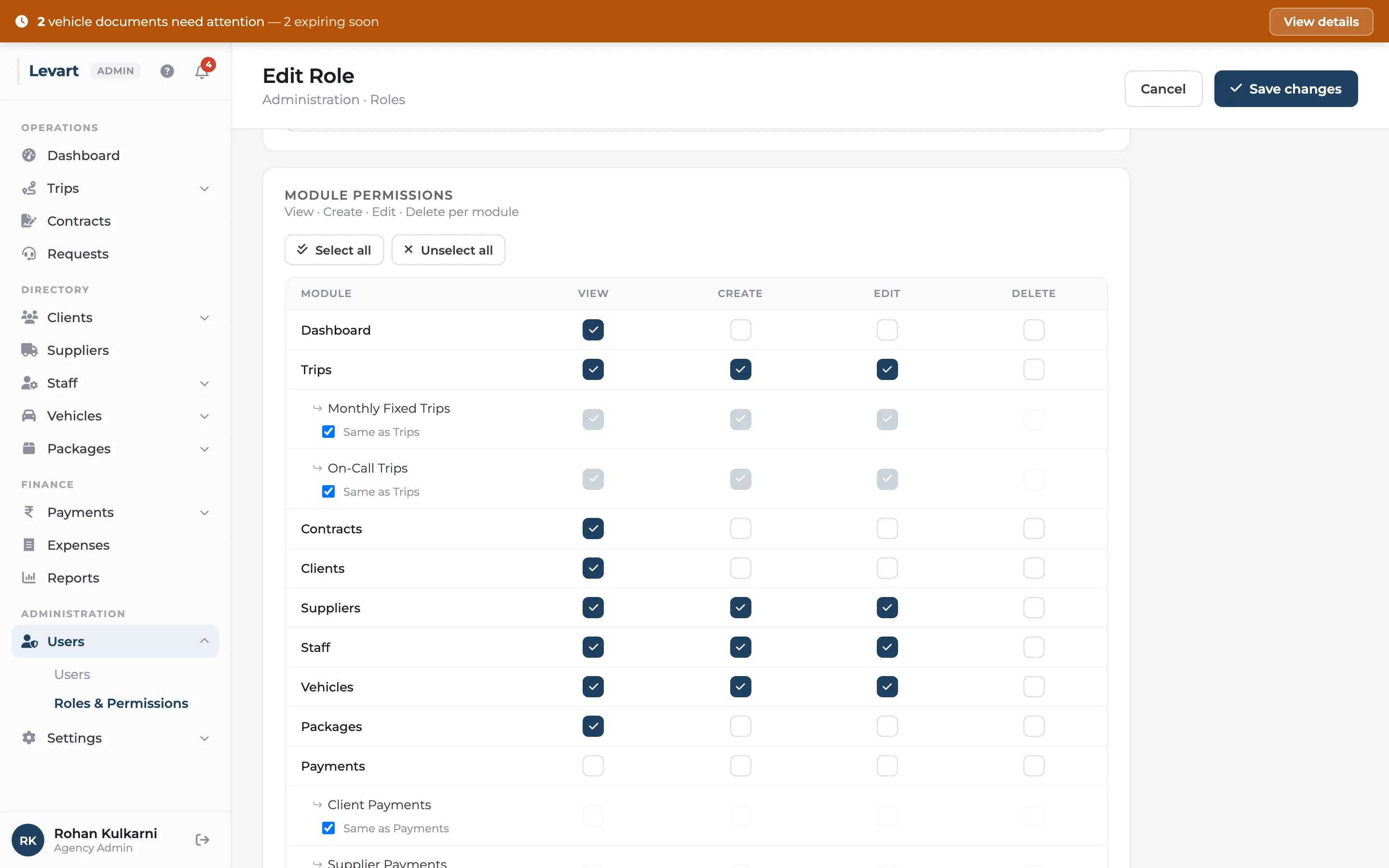
Start from the matrix: one row per area of the console, four columns for view, create, edit and delete. Sub-areas like client, supplier and staff payments can follow their parent or be set separately, so a booking clerk can raise trips without ever seeing what suppliers are paid.
Invited users get an email to set their own password. You can resend it, see who hasn't signed in yet and when everyone was last active. Levart won't let you remove the last admin or lock yourself out.
Questions
Team & permissions: common questions
Can I stop staff from seeing supplier payments?
Yes. Supplier payments is its own permission, separate from client payments and staff payments. Leave it off for roles that shouldn't see it.
See it with your own trips
Book a 30-minute call. Bring a month of duty slips or a contract, and we'll show you how Levart handles them.